
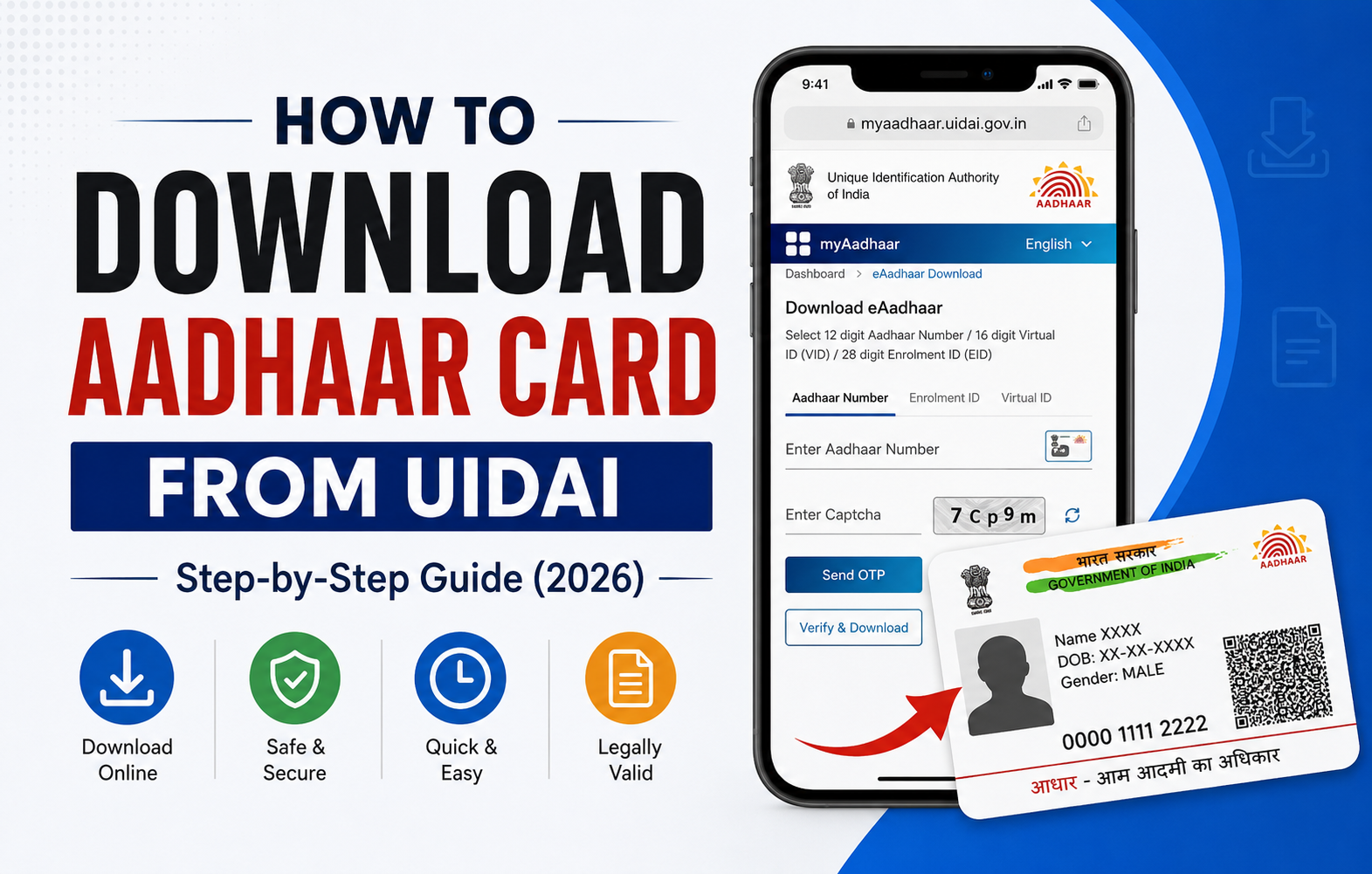
If you’re looking for how to download Aadhaar Card from UIDAI, you’ve come to the right place. Whether you’ve misplaced your physical Aadhaar card or need a digital copy for verification, the UIDAI Official Website makes it easy to download your Aadhaar in just a few minutes.
Today, Aadhaar is one of the most important identity documents in India. It is required for banking, PAN card linking, government schemes, mobile SIM verification, passport applications, and many other services. Instead of waiting for a physical copy, you can download Aadhaar Card online anytime through the official MyAadhaar portal.
In this detailed Aadhaar Download Guide, we’ll explain every step, the documents you’ll need, how to open the downloaded PDF, and solutions to common issues users face during the UIDAI Aadhaar Download process.
What is UIDAI?
The Unique Identification Authority of India (UIDAI) is the government organization responsible for issuing Aadhaar numbers to Indian residents. It also provides various online services through the MyAadhaar portal, including:
- Download Aadhaar Card Online
- Update Aadhaar Details
- Check Aadhaar Status
- Order PVC Aadhaar Card
- Lock or Unlock Biometrics
- Verify Aadhaar
These online services save time and eliminate the need to visit an Aadhaar Seva Kendra for routine tasks.
What is e-Aadhaar?
An e-Aadhaar is the digital version of your Aadhaar card issued by UIDAI. It contains all the same information as your physical Aadhaar card and is digitally signed, making it legally valid across India.
The biggest advantage of e-Aadhaar Download is that you can access your Aadhaar anytime, anywhere, without carrying the physical card.
Whether you’re applying for a loan, completing KYC, or verifying your identity, the downloaded e-Aadhaar is accepted by most government departments, banks, and private organizations.
Why Should You Download Aadhaar Card Online?
Downloading Aadhaar online offers several benefits.
Instant Access
You don’t have to wait for a physical Aadhaar card to arrive by post.
Completely Free
The UIDAI Aadhaar Download service is available free of cost.
Available Anytime
The MyAadhaar portal is accessible 24/7, allowing you to download your Aadhaar whenever required.
Secure and Digitally Signed
The downloaded Aadhaar PDF is password-protected and digitally signed by UIDAI.
Accepted Everywhere
The downloaded Aadhaar is legally valid for identity verification, KYC, banking, and government services.
Requirements Before Downloading Aadhaar Card
Before starting the Download Aadhaar Card Online process, make sure you have the following:
- Aadhaar Number (12 digits), OR
- Enrolment ID (EID), OR
- Virtual ID (VID)
- Registered Mobile Number
- Stable Internet Connection
- Smartphone, Laptop, or Computer
The registered mobile number is mandatory because UIDAI sends a One-Time Password (OTP) to verify your identity before allowing the download.
How to Download Aadhaar Card from UIDAI
Follow these simple steps to complete the Aadhaar Card Download with Aadhaar Number.
Step 1: Visit the MyAadhaar Portal
Open your preferred web browser and visit the official MyAadhaar portal.
Always ensure you’re using the official UIDAI website to protect your personal information.
Step 2: Click on “Download Aadhaar”
On the homepage, locate the Download Aadhaar option under Aadhaar services.
Click on it to continue.
Step 3: Select Your Preferred Identification Method
UIDAI offers three different ways to download Aadhaar.
- Aadhaar Number
- Enrolment ID (EID)
- Virtual ID (VID)
Choose whichever information you currently have.
Step 4: Enter Your Details
Fill in the required details carefully.
You’ll need to enter:
- Aadhaar Number, EID, or VID
- Security Captcha
Double-check all the information before proceeding.
Step 5: Receive OTP
Click on Send OTP.
An OTP will be sent to your Aadhaar-registered mobile number.
Enter the OTP correctly.
Step 6: Verify and Download
Click on Verify & Download.
Within a few seconds, your Download Aadhaar PDF process will be completed, and the PDF file will be saved on your device.
Congratulations! You’ve successfully learned How to Download Aadhaar Card from UIDAI
Download Aadhaar Using Aadhaar Number
This is the most common method.
If you already know your Aadhaar Number, simply select the Aadhaar Number option, enter your 12-digit Aadhaar number, verify the OTP, and download your e-Aadhaar instantly.
This method is quick, secure, and recommended for most users.
Download Aadhaar Using Enrolment ID (EID)
If you’ve recently enrolled for Aadhaar but haven’t received your Aadhaar Number yet, you can use your Enrolment ID.
The Enrolment ID is available on the acknowledgement slip you received during Aadhaar registration.
Choose the EID option, enter the required details, verify the OTP, and download your Aadhaar PDF.
Download Aadhaar Using Virtual ID (VID)
UIDAI also allows users to download Aadhaar using a Virtual ID.
A Virtual ID is a temporary 16-digit number linked to your Aadhaar.
This option provides an additional layer of privacy because you don’t need to share your actual Aadhaar Number.
Simply choose the VID option, enter your Virtual ID, complete OTP verification, and download your Aadhaar successfully.
Aadhaar PDF Password: How to Open Your Downloaded e-Aadhaar
After completing the Download Aadhaar Card Online process, you’ll receive a password-protected PDF file. This security feature helps keep your personal information safe.
To open the downloaded Aadhaar PDF, use the following password format:
The first four letters of your name (in CAPITAL letters) + your birth year (YYYY).
Example 1
Name: Rahul Sharma
Birth Year: 1999
Password: RAHU1999
Example 2
Name: Priya Patel
Birth Year: 2002
Password: PRIY2002
If your name has fewer than four letters, use the available letters followed by your birth year.
What is a Masked Aadhaar?
A Masked Aadhaar is a secure version of your Aadhaar card in which the first eight digits of your Aadhaar number are hidden. Only the last four digits are visible.
Example:
XXXX XXXX 4589
Using a Masked Aadhaar is recommended when you need to share your identity proof with hotels, employers, or other organizations that do not require your full Aadhaar number. It helps protect your privacy and reduces the risk of identity misuse.
Can You Download Aadhaar Without an Aadhaar Number?
Yes. If you have forgotten your Aadhaar number, you can still complete the UIDAI Aadhaar Download process.
You can retrieve your Aadhaar number using:
- Your registered mobile number
- Your registered email ID
Once you receive your Aadhaar number, simply return to the MyAadhaar Portal and download your e-Aadhaar.
Common Problems While Downloading Aadhaar Card
Although the process is simple, users may sometimes face issues. Here are some common problems and their solutions.
1. OTP Not Received
If you don’t receive the OTP:
- Check your mobile network.
- Ensure the mobile number linked to Aadhaar is active.
- Wait a few minutes and request the OTP again.
2. Mobile Number Not Registered
If your mobile number is not linked to Aadhaar, you won’t be able to complete the online verification process.
Visit your nearest Aadhaar Seva Kendra to update your mobile number before trying again.
3. Incorrect PDF Password
If the Aadhaar PDF doesn’t open, verify that you’re using:
- The first four letters of your name in CAPITAL letters.
- Your birth year in YYYY format.
Many users accidentally enter lowercase letters or the wrong birth year.
4. Website Not Loading
Sometimes, the UIDAI website may be slow due to heavy traffic.
Try these solutions:
- Refresh the page.
- Clear your browser cache.
- Use Google Chrome or Microsoft Edge.
- Try again after a few minutes.
5. Download Failed
If the download stops midway:
- Check your internet connection.
- Disable browser extensions temporarily.
- Restart your browser and try again.
Is Downloaded Aadhaar Card Valid?
Yes.
The e-Aadhaar Download from the official UIDAI website is digitally signed and legally valid across India.
You can use it for:
- Bank KYC
- Passport applications
- PAN card linking
- Government schemes
- SIM card verification
- Income Tax filing
- School and college admissions
- Employment verification
There is no legal difference between a downloaded e-Aadhaar and a printed Aadhaar letter issued by UIDAI.
Benefits of Downloading Aadhaar Card from UIDAI
Downloading Aadhaar online offers several advantages:
- Quick and easy access anytime.
- No charges for downloading.
- Secure and password-protected PDF.
- Accepted for online and offline verification.
- Available 24×7 through the MyAadhaar Portal.
- Eliminates the need to carry the physical card everywhere.
These benefits make the UIDAI Aadhaar Download service convenient for millions of users across India.
Security Tips While Using Aadhaar Online
To keep your Aadhaar information safe, follow these simple precautions:
- Always use the UIDAI Official Website to download your Aadhaar.
- Never share your OTP with anyone.
- Avoid downloading Aadhaar on public computers.
- Delete the PDF from shared devices after use.
- Use a strong password to protect your personal devices.
- Keep your registered mobile number updated with UIDAI.
Following these practices will help protect your personal information from unauthorized access.
Conclusion
If you’re wondering how to download Aadhaar Card from UIDAI, the process is simple, secure, and takes only a few minutes. Whether you choose to download it using your Aadhaar Number, Enrolment ID (EID), or Virtual ID (VID), the official MyAadhaar Portal makes the process quick and hassle-free.
The downloaded e-Aadhaar is digitally signed, password-protected, and legally valid for banking, KYC, government services, and many other official purposes. To stay safe, always use the UIDAI Official Website, never share your OTP, and keep your registered mobile number updated.
By following this Aadhaar Download Guide, you can easily access your Aadhaar whenever you need it without visiting an Aadhaar Seva Kendra.